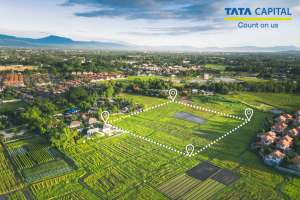
Buying land or property requires a lot of research and caution as no one wants to lose their money to fraud deals. Before buying a property or land, a buyer should check the power of attorney, the original land deed, the compliance from the Real Estate (Regulation and Development Act, 2016), approval documents from the local authority and the encumbrance certificate. Today, many people also begin with a West Bengal land record search by name to ensure the details are accurate and updated.
The Government of Bengal introduced BanglarBhumi, an online web portal, to help customers and businesses find detailed land information. In other words, every land record in West Bengal is available here. This makes it much easier for citizens who want to conduct a West Bengal land record search by name for verification. This article will give a detailed overview of Banglarbhumi 2021-2022, Khaitan and Plot information, mutation application, and more.
What is Banglarbhumi?
The Land & Land Reforms and Refugee Relief and Rehabilitation Department (L&LR) administers and manages the Land record information of West Bengal. Banglarbhumi is the online portal of the L& LR Department, widely used by citizens for accessing wb land record details and to know your property West Bengal using simple search tools.
The primary advantage of this portal is that it removes the hassle of a physical visit to the Government offices for procurement of any land records or registration and application forms.
The portal is available to the remotest of the locations. Hence, in addition to saving time, it also saves money.
Everything one needs to know about land is available in one place, including land information wb. In addition, the information is accessible anytime.
The portal is very easy and simple to use by anyone. Furthermore, it even allows a West Bengal land record search by name for convenience.
Another major benefit is that users get updated information on the land records. All the information is updated in real-time.
Since the land records are available to the minutest details, the chances of fraud reduce significantly. This initiative has brought major transparency to the purchase and sale of lands.
The portal benefits are available to both residents and entrepreneurs who need access to WB land record data before setting up industries like different locations along with infrastructure facilities available at the place. If the preferred infrastructure is not available there, it can hinder the business operations.
Only registered citizens are eligible for the Bangla Bhumi benefits.
To avail of the above benefits and citizen services like know your property West Bengal, mutation, or ROR, citizens must create a profile and register on the Banglarbhumi website. Following are the steps one must follow:
Step 1: First and foremost, visit the official portal of Banglabhumi,
Step 2: Next, the user needs to click on “Sign up”. It is available on the topmost part of the page.
Step 3: On the next page, a Public Registration Form will appear. In the form, the citizen needs to fill in the following information:
Full name
Name of the parents or Guardian
Residential Address
Jurisdiction details like Municipality, District, P.S and Pincode
Email address and the OTP sent to the registered email address
Mobile number and the OTP sent to the registered number
Create a password, enter that and reconfirm it.
CAPTCHA code
After filling in the above information, click Submit. It will complete the registration process, and the citizens can start availing of the benefits on the portal.
What forms are available on the Banglarbhumi website?
The above para lists all the services and benefits available on the portal. Here is the list of forms available for download on the Banglabhumi portal:
How to view Banglarbhumi land record via the ‘Know Your Property’ option?
This section becomes especially useful for anyone performing a West Bengal land record search by name, as the portal’s Khatian & Plot information page gives instant results.
Follow these steps to access land records:
Step 1: Visit the official Banglarbhumi portal of the Land & Land Reforms and Refugee Relief and Rehabilitation Department, West Bengal.
Step 2: On the homepage, click on the “Know Your Property” option.
Step 3: A new page titled “Khatian & Plot Information” will appear.
Step 4: Choose whether to search by Khatian or by Plot.
Step 5: Enter the required details for Mouza identification — District, Block, and Mouza.
How to check RS and LR information online at Banglarbhumi portal?
Under the West Bengal land records, RS means Revisional Settlement, and LR means Land reforms. The Banglarbhumi portal allows citizens to check this information with convenience on the portal. Follow these steps to check the RS and LR information:
Step 1: Visit the official Banglarbhumi website.
Step 2: Log in using your username and password. If not registered, complete the registration first.
Step 3: Click on the “Citizen Services” tab on the homepage.
Step 4: Select the “LR/RS Information” option on the next page.
Step 5: For Mouza identification, select the District, Block, and Mouza related to the land.
Step 6: Choose between LR plot number (Sabek Dag > Hal Dag) or RS plot number (Hal Dag > Sabek Dag).
Step 7: Enter the plot number and the CAPTCHA code.
Step 8: Click on “View” to see the LR/RS information on your screen.
How to find West Bengal Khatian plot information by name?
Khatian, a Persian word, means a record of rights. It is a document which represents the ownership of the land. These can be documents determining possession, assessing Land development tax or simply ownership. The State Government of the land owner issues the Khatian number. As mentioned before, the entire process to search the Khatian and Plot information on the Banglarbhumi web portal is simple and convenient. If the citizen wants to conduct a West Bengal land record search by name, they need to follow these step:
Step 1: Visit the official West Bengal Land Reforms portal or the Banglarbhumi website.
Step 2: Click on the “Know Your Property” tab on the homepage.
Step 3: For Mouza identification, select the District, Block, and Mouza from the drop-down menus.
Step 4: Choose whether you want to search by Khatian or by Plot.
Step 5: If searching by Khatian, enter the Khatian number.
Step 6: For numbers with a “/”, enter the first part in the first box and the second in the next. If there’s no “/”, enter the full number in the first box.
Step 7: Enter the CAPTCHA code and click “View” to see Khatian details.
Step 8: If searching by Plot, enter the plot number and the CAPTCHA code.
Step 9: Click “View” to see plot details such as plot number, classification, and more.
The Record of Rights (ROR) is one of the most important documents the landowner must possess. It contains all the information relating to the land. In other words, it represents the legal status of the property. It is alternatively known as “Porcha” in Bengali. The users can place a request to obtain it on the Land & Land Reforms or Banglarbhumi official portal. Following are the steps the owner would need to follow to obtain the same:
On the official portal, the user must log in using their username and password.
After that, go to the “Citizens Service” tab.
In the “Services Delivery” drop-down menu, click on the option “ROR request”.
On the next page, a form will open. Fill in the form with necessary details like Khatian number, District, Block, and others.
Verify the details with the CAPTCHA code and click on the “Calculate fee”.
Select the preferred payment option and click on “Continue”.
On the next page, verify all the details and click “Continue”.
Enter the payable amount and click “Confirm”.
The bank payment page will open to complete the payment process.
After successful payment, the user will be redirected to the portal. There, an acknowledgement receipt will be issued.
Save the acknowledgement receipt to download the ROR.
What is the mutation process on the Banglarbhumi portal?
The method of transferring the title or ownership of property, during the sale or transfer, is known as Mutation. To execute the mutation, the property needs to be registered beforehand. Following is the registration process:
Step 1: Visit the official Banglarbhumi website.
Step 2: Click on the “Online Application” tab in the navigation bar and choose “Mutation Application” from the list.
Step 3: Fill in applicant and property transfer details. Upload documents such as the legal heir certificate or registered deed.
Step 4: Click “Submit” and save the reference number shown on the next page. It will be useful for tracking the application.
Step 5: Select the fee payment option and pay using a debit card or net banking to complete the process.
Step 6: Once payment is made, the mutation case is generated instantly on the portal.
Step 7: For offline payments, check status online through “Application–GRN” under the online application tab. Note that mutation fees differ based on land type.
Step 1: Go to the “Citizen Services” tab on the Banglarbhumi website.
Step 2: Click on the “Mutation Status” option.
Step 3: Choose whether you want to search Casewise or Deed wise.
Step 4: Select your District, Block, and Mouza from the drop-down menus.
Step 5: Click on “Search” to view the current status of your mutation application.
How to track your application status?
If you’ve applied for any service through the West Bengal e-District portal, like land mutation or conversion, you can easily check the status online. It saves time and helps you stay updated without going to any office. All you need is your application number. Just follow these steps:
Step 1: Go to the official e-District website.
Step 2: On the homepage, click the “Inspection Report” button on the bottom right.
Step 3: Enter your Application Identification Number.
Step 4: Click “Search Document” to see the status of your application.
How to submit a grievance application on the Banglarbhumi portal?
One of the primary benefits of this West Bengal Bangla Bhumi portal is it addresses all the public grievances. To submit a grievance, one needs to follow these steps:
Step 1: Visit the Banglarbhumi homepage and click on the “Public Grievance Application” tab.
Step 2: Select your District, Block, and Mouza from the drop-down menu.
Step 3: Enter details like Petition Type, Petition Information, and Khatian Exists.
Step 4: Fill in personal details such as name, gender, address, guardian info, Aadhaar number, mobile number, email ID, and plot details.
Step 5: Upload all required documents as per the petition type.
Step 6: Enter the CAPTCHA code correctly and click on “Submit”.
Step 7: A Unique Petition Number (UPN) will be generated. You can also download the application as a PDF.
How to check the grievance complaint status?
Step 1: Go to the homepage of the Banglarbhumi portal.
Step 2: Click on the “Grievance Status/Declaration” tab instead of the grievance application tab.
Step 3: Enter your Unique Petition Number (UPN) in the given field.
Step 4: Fill in the CAPTCHA code and click on “Show” to view the current status of your grievance.
How to fill land conversion application online at Banglarbhumi portal?
If you want to apply for land conversion online, just follow these easy steps:
Step 1: Visit the official Banglarbhumi website.
Step 2: Click on the “Online Application” tab on the homepage.
Step 3: From the dropdown list, select “Conversion Application”.
Step 4: Fill in all the required details on the form that appears.
Step 5: Click on “Submit” to complete your application.
Step 6: An application reference number will appear—make sure to save it for future use.
Time taken to get services from Banglarbhumi
The Banglarbhumi portal offers a lot of services for laymen and entrepreneurs like online registration, mutation application, and more. However, if there are delays on the website, the purpose is lost somewhere. Here is a list of services, and the time that will be taken to deliver these services through the portal.
Sr.no
Services available on Banglarbhumi official portal
Time taken for conversion
Time taken for Mutation
1
Time limit considering the Public Services Guarantee Act, for delivery of public services to the people of the State
30 days
21 days
2
The minimum time taken for registration activation or renewal
1 day
1 day
3
The maximum time taken for registration activation or renewal
112 days
28 days
4
The Average time taken for registration activation or renewal
Yes, there is a mobile application, known as the Jomir Tothya. The Land & Land Reforms Department of the Government of West Bengal developed the app to provide doorstep services and live land data 24/7 to its citizens. It is available in 3 languages: English, Bengali and Devanagari. The Banglarbhumi app is available on Android and can be downloaded from the Google Play Store. The following information is available on the app:
Step 1: View Khatian details such as owner’s name, ownership type, father/husband’s name, total area, and number of plots listed.
Step 2: Check plot details, including tenant type, shared areas, land classification, and names of co-sharers.
Step 3: Find out if the land is convertible for other uses.
Step 4: See processing fees and payment details related to Mutation, Conversion, or Waarrish applications.
Step 5: Track case status for hearings, mutation requests, or investigations.
Step 6: Get contact details of officers in charge at the block, sub-division, or district level.
Final words
The above article gives a detailed overview of the Banglarbhumi web portal. The Banglarbhumi dashboard aims to bring ease, simplicity and transparency to land transactions. If there is any new WB land record information, it will be updated on the portal. Further, with their security feature, citizens don’t have to worry about their documents going into the wrong hands. Remember to upload all the necessary documents, otherwise, the property will not be considered valid. Also, ensure you have the necessary funds to pay the fees for registration, stamp duty, mutation application, requesting ROR, or others. In case of any doubts, you can always consult the experts like Tata Capital. They can also help you arrange funds and optimize a plan as per your needs.
Banglarbhumi is an online website launched by the West Bengal government. It provides access to various land-related information such as land records, property details, ownership records, property valuation, plot information, and land classification.
How do I check my land records on Banglarbhumi?
To check land records on Banglarbhumi, visit the official portal, select the “Know Your Property” option, and a page “Khatian & Plot Information” will open. On this page, you can search and view specific land record details.
How can I track the status of my application on Banglarbhumi?
You can track your application status on Banglarbhumi by visiting the e-district website and clicking the “Inspection Report” at the bottom right. Enter your “Application Identification Number” and click “Search Document” to know the status of your application.
Can I access Banglarbhumi services from a mobile device?
Yes, Banglarbhumi services are accessible from mobile devices. The portal is designed to be mobile-friendly, allowing users to access land records from their smartphones or tablets. Alternatively, users can download the mobile application called Jomir Tothya, which was developed by the Land & Land Reforms Department.
What is the Banglarbhumi portal of West Bengal?
Banglarbhumi is the official land records website of West Bengal. It lets users access details like land ownership, plot maps, mutation status, and more—all from the comfort of home, without visiting government offices.
What is the ROR request in Banglarbhumi?
A Record of Rights (ROR), also called Khatian in West Bengal, shows the legal ownership of land. It is issued by the state’s Revenue Department and can be requested online through the Banglarbhumi portal if needed.
What is GRN in Banglarbhumi?
GRN stands for Goods Receipt Number. It is used to confirm that payment has been made for land-related services on the Banglarbhumi portal, especially when applying for mutation or land conversion.
How to check RS Khatian?
To check RS Khatian details, go to the Banglarbhumi portal. Use the “Know Your Property” section, select your district, block, and mouza, then enter the khatian or plot number to see the land information.
Can I download certified copies of my land records online?
Yes. The Banglarbhumi portal allows you to download certified copies directly after verifying your details. Through the WB land record services, you can view your plot information, request certified documents, and track the status of your application without visiting any office.
Is the Banglarbhumi portal accessible via mobile app?
Yes. Banglarbhumi can be accessed easily on a mobile browser, and its interface supports key functions like the West Bengal land record search by name tool. This makes it convenient to check property details, plot information, and mutation status anytime from your phone.
How do I submit grievances related to land records on Banglarbhumi?
You can go to the “Public Grievance” section on the portal, enter your details, upload supporting documents, and submit your issue. This feature works alongside the know your property West Bengal section, ensuring your land-related concerns are recorded and tracked online.
What documents do I need to apply for land records online?
To access land information WB, you typically need identity proof, address proof, plot details, and sometimes past land documents. These help the portal verify ownership and allow you to request certified copies, mutation details, or other land-related services smoothly.





 11 August 2026
 16 mins read


 Previous Post