Get the Tata Capital App to apply for Loans & manage your account. Download Now

Blogs

SUPPORT

Tata Capital > Blog > Loan for Home > A complete guide to using the Bhoomi Karnataka land record portal

Loan for Home

A complete guide to using the Bhoomi Karnataka land record portal

A complete guide to using the Bhoomi Karnataka land record portal

Land records are essential documents that provide legal proof of property ownership. They determine who has the right to reside on the land and are used in property transactions, including buying and selling. But let’s be honest – finding and accessing these records can be a real headache. To address this, the Karnataka government has introduced the Bhoomi Online Portal – a handy digital platform to make your life easier. This user-friendly digital platform gives you easy access to land records across the state.

Let’s find out more about the Bhoomi Karnataka Portal.

What is the Bhoomi Karnataka land record portal?

The Bhoomi Karnataka Land Record Portal, launched in 2000, is an online Land Records Management System (LRMS) developed by the Karnataka government. It modernizes the process of accessing land records and makes it easier for landowners to retrieve important information related to their properties. All land records in the state of Karnataka are digitized and available online on the portal.

The Bhoomi Online portal provides a comprehensive range of details related to land ownership and management. It offers essential information such as the landowner’s details, the land area, its measurement type, and the water cost associated with the land.

Additionally, it provides insights into the type of soil, flood zone classification for agricultural, commercial, non-agricultural, and residential purposes, as well as any liabilities arising from the nature of the land’s possession. Tenancy information is also available on the portal.

In addition to the online services, the Karnataka government has set up physical Bhoomi centres in 6,000 Gram Panchayats across 175 Taluks to ensure accessibility for those who may not have access to the internet.

Also, read – Jami Tripura – A Digital Platform for Tripura Land Records

Key services provided by the Bhoomi online portal

  • View Mutation Register (MR), MR status, and Rights, Tenancy, and Crops (RTC), also known as Pahani
  • Download certified copies of the RTC document
  • Check land revenue maps
  • Verify the authenticity of RTCs using XML verification
  • Access important survey documents such as Tippan, Atlas, and Pakka Book
  • Apply for land conversion from agricultural land to non-agricultural use
  • Download the final conversion order for land conversion
  • View the register of dispute cases in case of any ongoing land dispute cases
  • Track and view the conversion status request

Also, read – Things to Know About Telangana Land Records Online System – Dharani

Benefits of using the Bhoomi Karnataka land records online

Below are some benefits of using the Bhoomi Karnataka Land Record Portal:

  • Convenient access to land records and certified copies of the RTC for landowners
  • Streamlined processes for loan applications and insurance claims for farmers
  • Ability to track and view the status of mutation requests
  • Easy monitoring of ongoing land disputes

Also, read – A Guide To Access Tamil Nadu Land Records Online

How to register on the Bhoomi Portal: Step-by-step

Here’s a simplified step-by-step guide to register on the portal:

  1. Visit the official Bhoomi Karnataka Land Record website.
  2. Click on the ‘New User Registration’ or ‘Sign Up’ option to start the registration process.
  3. Enter the required information in the registration form, including your name, address, contact information, and email address.
  4. A verification link will be sent to your registered email address or mobile number. Verify your account using the link.

Also, read – How to Check Punjab Land Records?

How to check Karnataka land records on the Bhoomi online portal?

Below are the steps to check the land record on the Bhoomi Online Portal:

  • Go to the Karnataka Online Land Records website.
  • Select the i-RTC option
  • Enter the details, such as your full name, mobile number, email address, and Aadhaar card number.
  • Once you have entered all the required information, click the Proceed button.
  • Provide the specific land information, including:
    • Surnoc (Survey number)
    • Hissa number
    • Hobli
    • Taluk
    • District
    • Survey number
    • RTC Validity
  • Click on the Retrieve Details button.
  • Click on the View RTC option.
  • Review the RTC and choose the Pay and Download option.
  • Click the Pay Now button.
  • You will be redirected to the SBI payment gateway, where you can complete the payment via Internet banking or a debit card.
  • The RTC will be displayed in PDF format and can be downloaded to your personal computer.

Also, read – An Overview of the Directorate of Land Records & Survey of Nagaland

How to obtain mutation and RTC certificates from the Bhoomi portal?

Obtaining mutation and RTC certificates from the Bhoomi online Karnataka is simple. You can follow the step-by-step process given below to get an RTC certificate online:

  1. Visit the official Bhoomi Online Portal of the Karnataka government.
  2. Select “View RTC and MR” to access land records and mutation details.
  3. Choose the district, taluk, hobli, and village from the dropdown options.
  4. Enter the survey number or owner name to get land information.
  5. View the RTC that appears on the screen to verify ownership and land details.
  6. For Bhoomi mutation status, select the “Mutation Register (MR)” option.
  7. Check whether the mutation is approved, pending, or rejected.
  8. Download and print the RTC or Karnataka mutation extract for legal, banking, or property transactions.

Also, read – All About Meghalaya Land Records

Understanding the land conversion process through Bhoomi RTC

Understanding the Bhoomi land conversion process through the online portal is essential for anyone planning to change agricultural land to non-agricultural use in Karnataka. The Bhoomi RTC helps verify key land details. These details include land classification and extent, ownership, and survey number.

Before you apply to convert land online in Karnataka, you must check the RTC to confirm that the land is free from disputes and eligible under state laws. You need the RTC as a supporting document to request land conversion. These conversion applications are submitted through designated government portals. After approval, updated mutation entries and a revised RTC reflect the new land use status, ensuring legal validity.

Also, read – Manipur Land Records: What You Need to Know?

View revenue maps and land dispute cases online

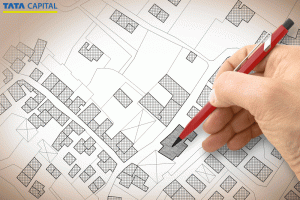
The Bhoomi online portal enables you to view revenue maps and land dispute cases online. This allows you to verify land information. Moreover, state land record portals allow you to perform a Bhoomi revenue map search by entering location details like district, taluk, village, and survey number. These maps show land boundaries, measurements, and adjoining plots. They help identify overlaps or encroachments. 

Many of the government’s judicial and revenue department websites also allow you to view land dispute cases online, including pending and disposed cases. Buyers use these records to identify legal issues before transactions, reduce risks, and make informed property decisions. Regular online verification is especially vital before purchasing, inheriting, or developing land.

Also, read – MP Bhulekh: One-Stop Destination to Check Madhya Pradesh Land Records Online

Important documents required to access the Bhoomi RTC portal

The list of required documents for Bhoomi RTC is as follows:

  • Basic land details, such as district, taluk, hobli, village, and survey number, to search records online
  • Owner’s name or khata details
  • Previous RTC copies
  • Registered sale deed
  • Identity proof and address proof, like Aadhaar or PAN
  • Mutation documents in case of inheritance or property transfer
  • Court orders or conversion certificates for updating land records

Also, read – Everything You Need to Know About the E-Rekha Kerala Land Record Portal

Conclusion

The Bhoomi Karnataka Portal has greatly streamlined and simplified the process for landowners. It has made things more transparent, allowing for easier tracking of disputes. Moreover, this digitization has not only benefited landowners but also improved record-keeping for the government. If you are looking for financial solutions to help you manage your property better, whether for loans or investments, you can explore the Tata Capital Loan App & Wealth. With its seamless digital services, Tata Capital allows you to access loans and other financial tools tailored to your needs.

More About Loans

FAQs

What is Bhoomi RTC Karnataka?

Bhoomi RTC Karnataka is a digital platform launched by the Karnataka government to provide citizens with online access to land records. It includes information about ownership, tenancy, and crop details.

How to check land records online in Karnataka?

To check land records in Karnataka- Visit the official Bhoomi RTC Karnataka website, Go to the "Land Records" section,Enter details like the survey number or owner’s name to view ownership, tenancy, and crop information.

How to check land details with a survey number in Karnataka?

Follow these steps- Go to the Karnataka Land Records homepage and click on "View RTC and MR.",On the "View RTC" page, select "Current Year" or "Old Year" for RTC Bhoomi, Enter the district, taluk, hobli, village, and survey number, then click "Go.", Provide additional details like Surnoc, Hissa No, Period, and Year, then click "Fetch Details.", Verify the displayed owner and land details, Click "View" to access the RTC (Bhoomi Pahani) document, which includes complete land and owner information.

Can I download land revenue maps from the Bhoomi portal?


Yes, you can view and download land documents in Karnataka through the Bhoomi Online portal. These documents include RTC, mutation status, and land sketches. However, detailed cadastral or revenue maps are usually accessed via the Bhoomi-integrated Bhu Naksha or the state survey department website.

How to apply for land conversion on Bhoomi RTC?


You can apply for land conversion from agricultural to non-agricultural online through the Bhoomi Online portal in Karnataka. You need to select the Land Conversion service, enter RTC and land details, choose the applicable conversion category, upload required documents, and pay the prescribed fee. The portal also allows you to track application status and download the final conversion order once approved by the authorities.

What documents are needed to access Bhoomi Online?


You don’t need any physical documents to view Bhoomi land records RTC. Basic details like district, taluk, hobli, village, and survey number are sufficient. For services like mutation or corrections, identity proof, a sale deed, and supporting land documents may be required.

Is Bhoomi RTC mandatory for availing a home loan?


Yes, Bhoomi RTC is generally mandatory for home loans in Karnataka. Banks and housing finance companies use it to verify land ownership, land type, cultivation details, and encumbrance status before approving a loan, especially for independent houses or plotted developments.

How secure is the Bhoomi Online portal?


The Bhoomi Online portal is managed by the Government of Karnataka and uses secure authentication, encrypted data access, and official digital records. While viewing records is open, transaction-based services require verification, making it a reliable and secure platform for land information.

Where to get help if facing issues with the Bhoomi portal?


If you face issues, you can contact the Bhoomi helpline, visit your nearest taluk office, or approach a Karnataka One / Bangalore One center. Assistance is also available through the official Bhoomi website’s grievance and support section.