Get the Tata Capital App to apply for Loans & manage your account. Download Now

Blogs

SUPPORT

Tata Capital > Blog > How to Download Your CIBIL Report Online

Credit Score

How to Download Your CIBIL Report Online

How to Download Your CIBIL Report Online

Summary: You can download your CIBIL report online for free once every calendar year through the official TransUnion CIBIL website. Log in or register, complete verification, open your Credit Report, and save it as a PDF. Check your personal details, loan and credit card accounts, payment history, and enquiries for errors or unfamiliar activity. Checking your own CIBIL report does not lower your credit score.

To download your CIBIL report online, visit the official TransUnion CIBIL website, log in to your myCIBIL account and open your credit report. You can then print the report and save it as a PDF. CIBIL provides one free CIBIL score and report in each calendar year.

The report includes your CIBIL score along with the loans, credit cards, repayment history and credit enquiries reported in your name. This helps you see the details used to build your credit profile. The free annual Score and Report is different from paid subscription access, which lets you refresh your Score and Report more frequently.

The steps below show how to download your CIBIL report online, save it as a PDF, open it if it is password-protected, and check it for errors or unfamiliar accounts.

CIBIL Score vs CIBIL Report: What You’re Downloading

A CIBIL score is a three-digit number ranging from 300 to 900. It is calculated using information in the Accounts and Enquiries sections of your CIBIL Report.

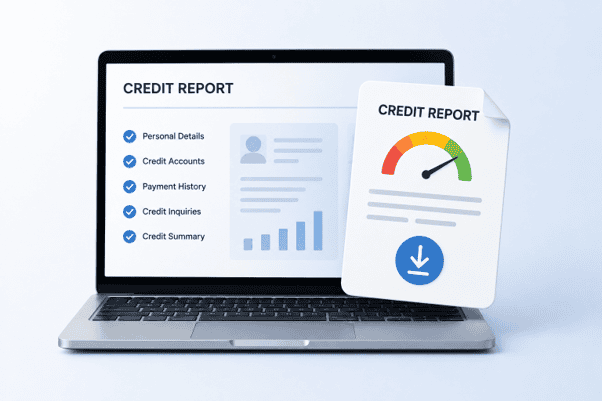
The CIBIL report, also called a Credit Information Report or CIR, contains the credit information reported by lenders. It includes your personal details, loans, credit cards, outstanding balances, account status, payment history and enquiries. The Account Information section can show up to 36 months of monthly payment history.

When you complete a credit score report download, you can review both the score and the credit information behind it. In simple terms, the score is the number, while the report is the detailed record behind that number. If you are not sure what the score means, make sure you understand the CIBIL score range thoroughly.

How to Download Your Free CIBIL Report: Step by Step

Wondering how to take CIBIL report online? Log in to the official TransUnion CIBIL website and follow the steps given below:

1. Go to the Official CIBIL Website

Visit the official TransUnion CIBIL website and select the option for your Free CIBIL Score and Report. If you already have a myCIBIL account, log in and go to the “My Account” section, where CIBIL provides a “Get your Free Report” option when you are eligible.

2. Enter Your Details

For a new account, provide the information requested on the enrolment form. This generally includes:

  • Email address
  • Mobile number
  • First and last name
  • ID type and ID number
  • Date of birth
  • PIN code and state

The identity options can include PAN and other specific identifiers. Enter your details exactly as they appear on your identification documents, especially your PAN or other identity number. CIBIL uses these details to identify and verify your credit profile.

If you use PAN as your ID, enter the number and other personal details accurately. A mismatch can prevent the system from identifying the correct credit profile.

3. Complete Authentication

CIBIL verifies the email address and mobile number through OTP authentication during enrolment. Depending on the process, you may also be asked to complete additional identity verification.

CIBIL may ask you to keep details of a credit card or loan account handy if additional verification is required. Never share your OTP with another person.

4. Open Your CIBIL Report

Once authentication is complete, log in to your myCIBIL account. Your dashboard gives you access to your CIBIL Score and detailed credit report. If you are accessing your free annual report, CIBIL says it should be available instantly after successful authentication.

5. Save the Report as a PDF

CIBIL’s current support instructions state that you can:

  1. Open the Credit Report section.
  2. Select Print the report.
  3. Wait for the report to open in printable format.
  4. Select Print.
  5. Choose Save as PDF on your device.

The exact screen labels may change as CIBIL updates its portal, so follow the options shown in your account if they differ slightly.

Also Read – Experian vs CIBIL: Which Credit Score Is Better

How to Open Your Password-Protected CIBIL Report PDF

CIBIL’s current public support instructions do not specify a universal password format for every downloaded CIBIL report PDF.

If the PDF you receive is password-protected, use the password instructions provided when the report is generated or in the accompanying communication from CIBIL. Do not rely on password formats published on third-party websites.

If you still cannot open the file, log in to myCIBIL and use CIBIL’s official support options. Do not share the PDF, OTP or account credentials with anyone offering to unlock it for you.

Free vs Paid CIBIL Report: What to Know

You can get CIBIL report online free once in every calendar year. If you want updated access more frequently, CIBIL also offers paid subscription plans. CIBIL’s standard subscription information lists:

OptionAccessListed Price
1-month planRegular Score and Report refreshes during the subscription₹699
6-month planRegular Score and Report refreshes during the subscription₹999
12-month planRegular Score and Report refreshes during the subscription₹1,499

Note: Prices listed above are as of August 2026 and may change. Check the latest subscription prices on the official CIBIL website before purchasing.

What to Check in Your CIBIL Report

After the CIBIL report download, check the report for incorrect or unfamiliar information. This involves:

  • Personal information: Confirm your name, date of birth, PAN and contact details.
  • Account information: Review every loan and credit card, including account status, balance, payment history and overdue amounts.
  • Enquiry information: Check whether recent lender enquiries match credit applications you made.
  • Account status: Look for closed accounts still showing as open, incorrect balances or wrong Days Past Due (DPD) entries.
  • Unfamiliar activity: Flag loans, cards or enquiries you do not recognise.

If you find incorrect information, you can raise a dispute through CIBIL’s official process. CIBIL allows consumers to dispute inaccuracies, account ownership issues and duplicate information through myCIBIL.

If your report contains little or no account information, it may indicate that there is little or no credit history reported in your name. This does not necessarily mean there is an error. If you have existing or previous credit accounts that are missing, check your details and raise a dispute if required. You can also know the ins and outs of credit mix to understand how different types of credit form part of your overall credit profile.

How to Spot Fake ‘Free CIBIL Report’ Websites

Use caution when you download a CIBIL report online. Watch for these warning signs:

  • A lookalike domain pretending to be CIBIL
  • Requests for your card PIN, CVV, UPI PIN or net-banking password
  • Requests to share an OTP over a call, message or email
  • No clear privacy policy or data-handling information
  • Requests to send your complete report through WhatsApp or unsolicited email
  • Charges for a “free annual CIBIL report” without clearly explaining the service being sold

Use cibil.com or an authorised financial channel for the official report. Never share your OTP, PIN, CVV or net-banking password to obtain or download your report. Suspected financial cyber fraud can be reported through the National Cyber Crime Reporting Portal or by calling 1930.

Also Read – What is a credit rating?

How Often Should You Download Your CIBIL Report?

Use your free annual CIBIL report download to review your credit information at least once a year. Checking your report every six months can also help you spot errors or unfamiliar activity earlier. You may also want to check it before applying for credit, after closing a loan or card, or if you notice activity you do not recognise.

Conclusion

A CIBIL report download helps you review the credit information recorded in your name. You can get one free CIBIL Score and Report each calendar year through CIBIL, save the report as a PDF, and review your accounts, repayment history and enquiries for errors or activity you do not recognise.

If the PDF is password-protected, use the password instructions provided by CIBIL rather than relying on an old password format found online. Use only official or authorised channels to access your report. If you are considering borrowing, you can also check the eligibility requirements and applicable terms for a Tata Capital Personal Loan through the Tata Capital website or app.

Disclaimer: This article is for general information only. CIBIL Scores and Reports are issued by TransUnion CIBIL. Processes, features and prices may change. Use official or authorised channels and report suspected cyber fraud through the National Cyber Crime Reporting Portal.

FAQs

How do I download my CIBIL report?

To complete a CIBIL report download, visit the official CIBIL website, register or log in and complete the required authentication. Open your Credit Report, select “Print the report,” and choose “Save as PDF” on your device. If you are unsure how to take CIBIL report, follow the current instructions shown inside myCIBIL.

Is downloading a CIBIL report free?

Yes. CIBIL provides one free CIBIL Score and Report in every calendar year. After using the free annual access, you can choose a paid subscription if you want more frequent updates. Check the latest subscription price directly on the official CIBIL platform before making a payment.

How many times can I get a free CIBIL report?

You can get a CIBIL report online free once in each calendar year through CIBIL. If you need refreshed access more often, paid subscription options are available. Some banks and authorised financial platforms may also provide separate credit-score services, but these should not be confused with CIBIL's free annual Score and Report.

What is the password for the CIBIL report PDF?

CIBIL's current public support instructions do not specify one universal password format for every CIBIL report PDF. If your PDF is password-protected, follow the password instructions displayed when the report is generated or sent to you. Avoid using old password formulas published on third-party websites.

Why is my CIBIL report blank?

A blank or very limited report can mean that little or no credit history has been reported to CIBIL for your profile. It is not necessarily an error. If you have existing or previous credit accounts that are missing, check your personal details and raise a dispute if required.

What's the difference between a CIBIL score and a CIBIL report?

A CIBIL Score is a three-digit number ranging from 300 to 900 that summarises your credit history. A CIBIL Report contains the underlying details, including loans, credit cards, repayment history and lender enquiries. A credit score report download therefore provides more information than the score alone.

Does downloading my report affect my score?

No. Checking your own CIBIL Score and Report does not lower your CIBIL Score. A lender's credit enquiry while assessing a loan or credit application is different from accessing your own report.