લોન માટે અરજી કરવા અને તમારા એકાઉન્ટને મેનેજ કરવા માટે ટાટા કેપિટલ એપ.હમણાં જ ડાઉનલોડ કરો

બ્લૉગ્સ

સપોર્ટ

ઑફર ક્વિક પે

ટાટા કેપિટલ > બ્લૉગ > ઘર માટે લોન > ભૂમિ કર્ણાટક લેન્ડ રેકોર્ડ પોર્ટલનો ઉપયોગ કરવા માટે સંપૂર્ણ માર્ગદર્શિકા

ઘર માટે લોન

ભૂમિ કર્ણાટક લેન્ડ રેકોર્ડ પોર્ટલનો ઉપયોગ કરવા માટે સંપૂર્ણ માર્ગદર્શિકા

A complete guide to using the Bhoomi Karnataka land record portal

જમીનના રેકોર્ડ એ આવશ્યક ડૉક્યૂમેન્ટ છે જે સંપત્તિની માલિકીનો કાનૂની પુરાવો પ્રદાન કરે છે. તેઓ નિર્ધારિત કરે છે કે જમીન પર રહેવાનો અધિકાર કોણ છે અને ખરીદી અને વેચાણ સહિત પ્રોપર્ટી ટ્રાન્ઝૅક્શનમાં ઉપયોગ કરવામાં આવે છે. પરંતુ ચાલો પ્રામાણિક રહીએ - આ રેકોર્ડ્સ શોધવા અને ઍક્સેસ કરવું એ વાસ્તવિક માથાનો દુખાવો હોઈ શકે છે. આને સંબોધવા માટે, કર્ણાટક સરકારે તમારા જીવનને સરળ બનાવવા માટે ભૂમિ ઑનલાઇન પોર્ટલ - એક ઉપયોગી ડિજિટલ પ્લેટફોર્મ રજૂ કર્યું છે. આ યૂઝર-ફ્રેન્ડલી ડિજિટલ પ્લેટફોર્મ તમને સમગ્ર રાજ્યમાં જમીનના રેકોર્ડની સરળ ઍક્સેસ આપે છે.

ચાલો ભૂમિ કર્ણાટક પોર્ટલ વિશે વધુ જાણીએ.

What is the Bhoomi Karnataka land record portal?

The Bhoomi Karnataka Land Record Portal, launched in 2000, is an online Land Records Management System (LRMS) developed by the Karnataka government. It modernizes the process of accessing land records and makes it easier for landowners to retrieve important information related to their properties. All land records in the state of Karnataka are digitized and available online on the portal.

ભૂમિ ઑનલાઇન પોર્ટલ જમીનની માલિકી અને મેનેજમેન્ટ સંબંધિત વિગતોની વ્યાપક શ્રેણી પ્રદાન કરે છે. તે જમીનના માલિકની વિગતો, જમીન વિસ્તાર, તેના માપનો પ્રકાર અને જમીન સાથે સંકળાયેલ પાણીનો ખર્ચ જેવી આવશ્યક માહિતી પ્રદાન કરે છે.

વધુમાં, તે જમીનના પ્રકાર, કૃષિ, વ્યવસાયિક, બિન-કૃષિ અને રહેણાંક હેતુઓ માટે પૂર ઝોન વર્ગીકરણ, તેમજ જમીનના કબજાથી ઉદ્ભવતી કોઈપણ જવાબદારીઓ વિશે જાણકારી પ્રદાન કરે છે. ભાડૂતની માહિતી પણ પોર્ટલ પર ઉપલબ્ધ છે.

ઑનલાઇન સેવાઓ ઉપરાંત, કર્ણાટક સરકારે 175 તાલુકામાં 6,000 ગ્રામ પંચાયતોમાં ભૌતિક ભૂમિ કેન્દ્રોની સ્થાપના કરી છે, જેથી ઇન્ટરનેટની ઍક્સેસ ન હોય તેવા લોકો માટે ઍક્સેસિબિલિટી સુનિશ્ચિત કરી શકાય.

આ પણ વાંચો – જામી ત્રિપુરા - ત્રિપુરા લેન્ડ રેકોર્ડ્સ માટે એક ડિજિટલ પ્લેટફોર્મ

Key services provided by the Bhoomi online portal

  • View Mutation Register (MR), MR status, and Rights, Tenancy, and Crops (RTC), also known as Pahani
  • આરટીસી દસ્તાવેજની પ્રમાણિત કૉપી ડાઉનલોડ કરો
  • જમીન આવકના નકશા તપાસો
  • XML વેરિફિકેશનનો ઉપયોગ કરીને RTC ની પ્રમાણિકતાની ચકાસણી કરો
  • ટિપ્પન, એટલાસ અને પક્કા બુક જેવા મહત્વપૂર્ણ સર્વેક્ષણ ડૉક્યૂમેન્ટને ઍક્સેસ કરો
  • કૃષિ જમીનથી બિન-કૃષિ ઉપયોગમાં જમીન રૂપાંતરણ માટે અરજી કરો
  • જમીન રૂપાંતરણ માટે અંતિમ રૂપાંતરણ ઑર્ડર ડાઉનલોડ કરો
  • View the register of dispute cases in case of any ongoing land dispute cases
  • Track and view the conversion status request

આ પણ વાંચો – તેલંગાણા લેન્ડ રેકોર્ડ્સ ઑનલાઇન સિસ્ટમ વિશે જાણવા જેવી બાબતો - ધરણી

Benefits of using the Bhoomi Karnataka land records online

ભૂમિ કર્ણાટક લેન્ડ રેકોર્ડ પોર્ટલનો ઉપયોગ કરવાના કેટલાક લાભો નીચે આપેલ છે:

  • Convenient access to land records and certified copies of the RTC for landowners
  • ખેડૂતો માટે લોન અરજીઓ અને વીમા ક્લેઇમ માટે સુવ્યવસ્થિત પ્રક્રિયાઓ
  • મ્યુટેશન વિનંતીઓની સ્થિતિને ટ્રૅક અને જોવાની ક્ષમતા
  • ચાલુ જમીન વિવાદોની સરળ દેખરેખ

આ પણ વાંચો – તમિલનાડુ જમીનના રેકોર્ડને ઑનલાઇન ઍક્સેસ કરવા માટે માર્ગદર્શિકા

How to register on the Bhoomi Portal: Step-by-step

પોર્ટલ પર રજિસ્ટર કરવા માટે સરળ પગલાં અનુસાર માર્ગદર્શિકા અહીં આપેલ છે:

  1. અધિકૃત ભૂમિ કર્ણાટક લેન્ડ રેકોર્ડ વેબસાઇટની મુલાકાત લો.
  2. રજિસ્ટ્રેશન પ્રક્રિયા શરૂ કરવા માટે 'નવા યૂઝર રજિસ્ટ્રેશન' અથવા 'સાઇન અપ' વિકલ્પ પર ક્લિક કરો.
  3. તમારું નામ, ઍડ્રેસ, સંપર્ક માહિતી અને ઇમેઇલ ઍડ્રેસ સહિત રજિસ્ટ્રેશન ફોર્મમાં જરૂરી માહિતી દાખલ કરો.
  4. તમારા રજિસ્ટર્ડ ઇમેઇલ ઍડ્રેસ અથવા મોબાઇલ નંબર પર વેરિફિકેશન લિંક મોકલવામાં આવશે. લિંકનો ઉપયોગ કરીને તમારા એકાઉન્ટની ચકાસણી કરો.

આ પણ વાંચો – પંજાબ જમીનના રેકોર્ડ કેવી રીતે ચેક કરવા?

How to check Karnataka land records on the Bhoomi online portal?

ભૂમિ ઑનલાઇન પોર્ટલ પર જમીનનો રેકોર્ડ તપાસવાના પગલાં નીચે આપેલ છે:

  • Go to the Karnataka Online Land Records website.
  • આઈ-આરટીસી વિકલ્પ પસંદ કરો
  • તમારું સંપૂર્ણ નામ, મોબાઇલ નંબર, ઇમેઇલ ઍડ્રેસ અને આધાર કાર્ડ નંબર જેવી વિગતો દાખલ કરો.
  • એકવાર તમે બધી જરૂરી માહિતી દાખલ કર્યા પછી, આગળ વધો બટન પર ક્લિક કરો.
  • વિશિષ્ટ જમીનની માહિતી પ્રદાન કરો, જેમાં શામેલ છે:
    • Surnoc (Survey number)
    • Hissa number
    • Hobli
    • Taluk
    • જિલ્લો
    • Survey number
    • RTC Validity
  • વિગતો પ્રાપ્ત કરો બટન પર ક્લિક કરો.
  • RTC વિકલ્પ જુઓ પર ક્લિક કરો.
  • RTC રિવ્યૂ કરો અને ચુકવણી કરો અને ડાઉનલોડ વિકલ્પ પસંદ કરો.
  • હમણાં ચુકવણી કરો બટન પર ક્લિક કરો.
  • તમને SBI પેમેન્ટ ગેટવે પર લઈ જવામાં આવશે, જ્યાં તમે ઇન્ટરનેટ બેંકિંગ અથવા ડેબિટ કાર્ડ દ્વારા ચુકવણી પૂર્ણ કરી શકો છો.
  • RTC PDF ફોર્મેટમાં પ્રદર્શિત કરવામાં આવશે અને તમારા વ્યક્તિગત કમ્પ્યુટર પર ડાઉનલોડ કરી શકાય છે.

આ પણ વાંચો – નાગાલેન્ડના જમીન રેકોર્ડ્સ અને સર્વેક્ષણ નિયામકની એક ઝાંખી

How to obtain mutation and RTC certificates from the Bhoomi portal?

Obtaining mutation and RTC certificates from the Bhoomi online Karnataka is simple. You can follow the step-by-step process given below to get an RTC certificate online:

  1. Visit the official Bhoomi Online Portal of the Karnataka government.
  2. Select “View RTC and MR” to access land records and mutation details.
  3. Choose the district, taluk, hobli, and village from the dropdown options.
  4. Enter the survey number or owner name to get land information.
  5. View the RTC that appears on the screen to verify ownership and land details.
  6. For Bhoomi mutation status, select the “Mutation Register (MR)” option.
  7. Check whether the mutation is approved, pending, or rejected.
  8. Download and print the RTC or Karnataka mutation extract for legal, banking, or property transactions.

આ પણ વાંચો – મેઘાલય જમીનના રેકોર્ડ વિશે બધું

Understanding the land conversion process through Bhoomi RTC

Understanding the Bhoomi land conversion process through the online portal is essential for anyone planning to change agricultural land to non-agricultural use in Karnataka. The Bhoomi RTC helps verify key land details. These details include land classification and extent, ownership, and survey number.

Before you apply to convert land online in Karnataka, you must check the RTC to confirm that the land is free from disputes and eligible under state laws. You need the RTC as a supporting document to request land conversion. These conversion applications are submitted through designated government portals. After approval, updated mutation entries and a revised RTC reflect the new land use status, ensuring legal validity.

આ પણ વાંચો – મણિપુર જમીનના રેકોર્ડ્સ: તમારે શું જાણવાની જરૂર છે?

View revenue maps and land dispute cases online

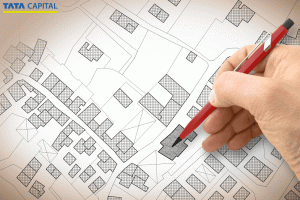
The Bhoomi online portal enables you to view revenue maps and land dispute cases online. This allows you to verify land information. Moreover, state land record portals allow you to perform a Bhoomi revenue map search by entering location details like district, taluk, village, and survey number. These maps show land boundaries, measurements, and adjoining plots. They help identify overlaps or encroachments. 

Many of the government’s judicial and revenue department websites also allow you to view land dispute cases online, including pending and disposed cases. Buyers use these records to identify legal issues before transactions, reduce risks, and make informed property decisions. Regular online verification is especially vital before purchasing, inheriting, or developing land.

આ પણ વાંચો – MP ભૂલેખ: મધ્ય પ્રદેશના જમીનના રેકોર્ડને ઑનલાઇન તપાસવા માટે વન-સ્ટૉપ ડેસ્ટિનેશન

Important documents required to access the Bhoomi RTC portal

The list of required documents for Bhoomi RTC is as follows:

  • Basic land details, such as district, taluk, hobli, village, and survey number, to search records online
  • Owner’s name or khata details
  • Previous RTC copies
  • Registered sale deed
  • Identity proof and address proof, like Aadhaar or PAN
  • Mutation documents in case of inheritance or property transfer
  • Court orders or conversion certificates for updating land records

આ પણ વાંચો – ઇ-રેખા કેરળ લેન્ડ રેકોર્ડ પોર્ટલ વિશે તમારે જાણવાની જરૂર છે તે બધું

નિષ્કર્ષ

The Bhoomi Karnataka Portal has greatly streamlined and simplified the process for landowners. It has made things more transparent, allowing for easier tracking of disputes. Moreover, this digitization has not only benefited landowners but also improved record-keeping for the government. If you are looking for financial solutions to help you manage your property better, whether for loans or investments, you can explore the Tata Capital Loan App & Wealth. With its seamless digital services, Tata Capital allows you to access loans and other financial tools tailored to your needs.

લોન વિશે વધુ

વારંવાર પૂછાતા પ્રશ્નો

ભૂમિ RTC કર્ણાટક શું છે?

ભૂમિ RTC કર્ણાટક એ કર્ણાટક સરકાર દ્વારા શરૂ કરવામાં આવેલ એક ડિજિટલ પ્લેટફોર્મ છે જે નાગરિકોને જમીનના રેકોર્ડની ઑનલાઇન ઍક્સેસ પ્રદાન કરે છે. તેમાં માલિકી, ભાડૂત અને પાકની વિગતો વિશેની માહિતી શામેલ છે.

કર્ણાટકમાં જમીનના રેકોર્ડને ઑનલાઇન કેવી રીતે તપાસવા?

કર્ણાટકમાં જમીનના રેકોર્ડ તપાસવા માટે- અધિકૃત ભૂમિ RTC કર્ણાટક વેબસાઇટની મુલાકાત લો, "જમીનના રેકોર્ડ" સેક્શન પર જાઓ, માલિકી, ભાડૂત અને પાકની માહિતી જોવા માટે સર્વે નંબર અથવા માલિકનું નામ જેવી વિગતો દાખલ કરો.

કર્ણાટકમાં સર્વે નંબર સાથે જમીનની વિગતો કેવી રીતે તપાસવી?

Follow these steps- Go to the Karnataka Land Records homepage and click on "View RTC and MR.",On the "View RTC" page, select "Current Year" or "Old Year" for RTC Bhoomi, Enter the district, taluk, hobli, village, and survey number, then click "Go.", Provide additional details like Surnoc, Hissa No, Period, and Year, then click "Fetch Details.", Verify the displayed owner and land details, Click "View" to access the RTC (Bhoomi Pahani) document, which includes complete land and owner information.

Can I download land revenue maps from the Bhoomi portal?

Yes, you can view and download land documents in Karnataka through the Bhoomi Online portal. These documents include RTC, mutation status, and land sketches. However, detailed cadastral or revenue maps are usually accessed via the Bhoomi-integrated Bhu Naksha or the state survey department website.

How to apply for land conversion on Bhoomi RTC?

You can apply for land conversion from agricultural to non-agricultural online through the Bhoomi Online portal in Karnataka. You need to select the Land Conversion service, enter RTC and land details, choose the applicable conversion category, upload required documents, and pay the prescribed fee. The portal also allows you to track application status and download the final conversion order once approved by the authorities.

What documents are needed to access Bhoomi Online?

You don’t need any physical documents to view Bhoomi land records RTC. Basic details like district, taluk, hobli, village, and survey number are sufficient. For services like mutation or corrections, identity proof, a sale deed, and supporting land documents may be required.

Is Bhoomi RTC mandatory for availing a home loan?

Yes, Bhoomi RTC is generally mandatory for home loans in Karnataka. Banks and housing finance companies use it to verify land ownership, land type, cultivation details, and encumbrance status before approving a loan, especially for independent houses or plotted developments.

How secure is the Bhoomi Online portal?

The Bhoomi Online portal is managed by the Government of Karnataka and uses secure authentication, encrypted data access, and official digital records. While viewing records is open, transaction-based services require verification, making it a reliable and secure platform for land information.

Where to get help if facing issues with the Bhoomi portal?

If you face issues, you can contact the Bhoomi helpline, visit your nearest taluk office, or approach a Karnataka One / Bangalore One center. Assistance is also available through the official Bhoomi website’s grievance and support section.